Print. Scan. Score.
Turn your phone into an exam scanner.
Build multiple-choice exams on your phone, download print-ready answer sheets with a QR code and alignment markers, then scan completed sheets with your camera for instant, auto-graded results. No special hardware, no subscription — just a one-time purchase to remove the ad.
Built For
Classroom Teacher
30–50 students per section. Fast batch grading, printable sheets — no scanner hardware to buy.
Review-Center Instructor
Recurring mock exams for licensing or certification prep. Reusable exam banks, versioned sheets to deter copying.
Certification Assessor
Pass/fail certification with a fixed cut score. Reliable scoring, audit-friendly reports.
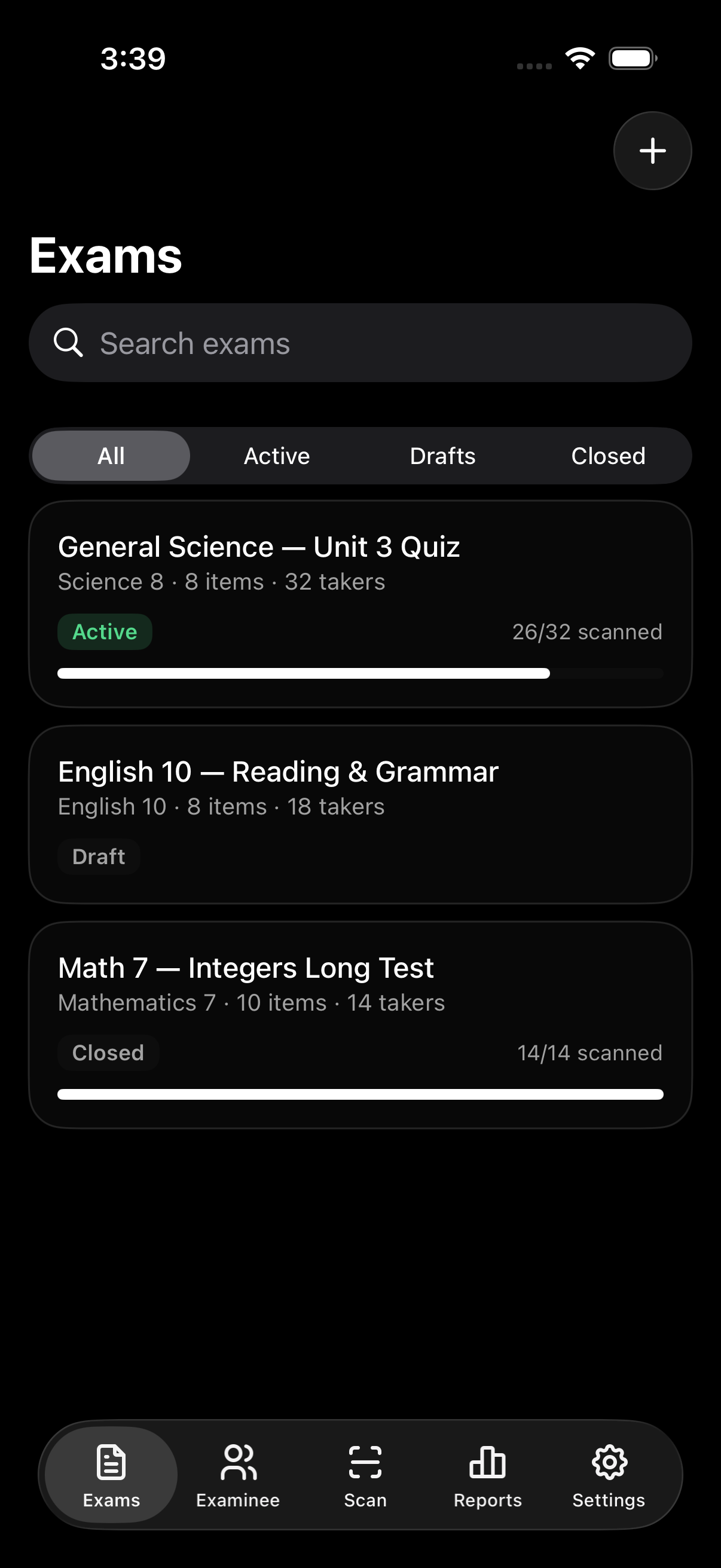
01 — Build The Exam
Questions, choices, and a status that locks itself
Create an exam with a title, subject, and passing score, then duplicate it to reuse next term. Download print-ready answer sheets, questionnaires, and answer keys straight from the same screen.
- Draft → Active → Closed status lifecycle
- Up to 4 choices per question, per-item point value
- Randomize question and/or choice order
- Download PDF answer sheets, keys & questionnaires
02 — Add Your Class
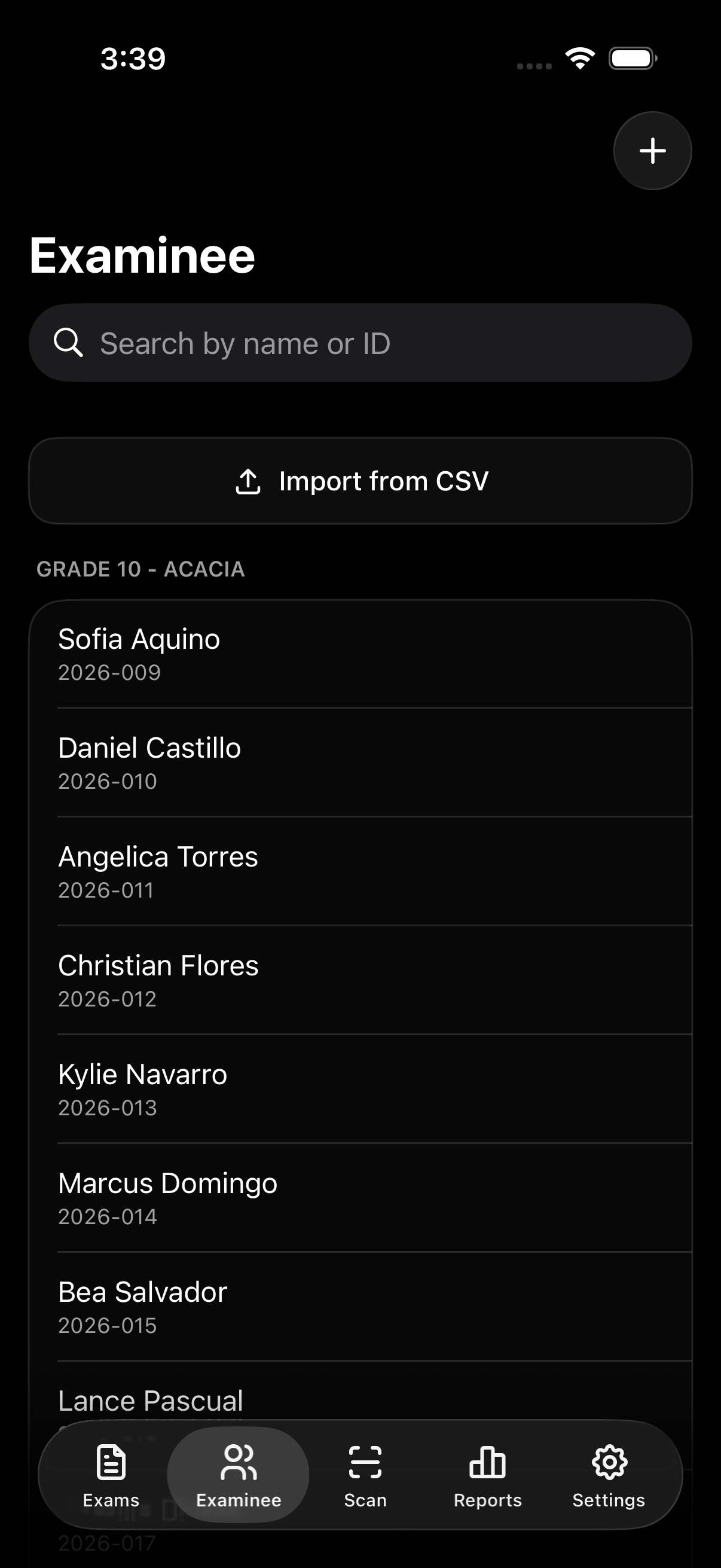
One by one, or the whole section at once
Add an examinee's ID, name, group, and optional email by hand, or import a whole section as a CSV. The import preview flags duplicate or missing IDs before anything is saved.
- Grouped by section, searchable by name or ID
- CSV import with a validating preview — skip bad rows without blocking the rest
- Assign examinees individually or in bulk by section
- "Sheet ready" / "Pending" status per examinee, per exam
03 — Scan & Score
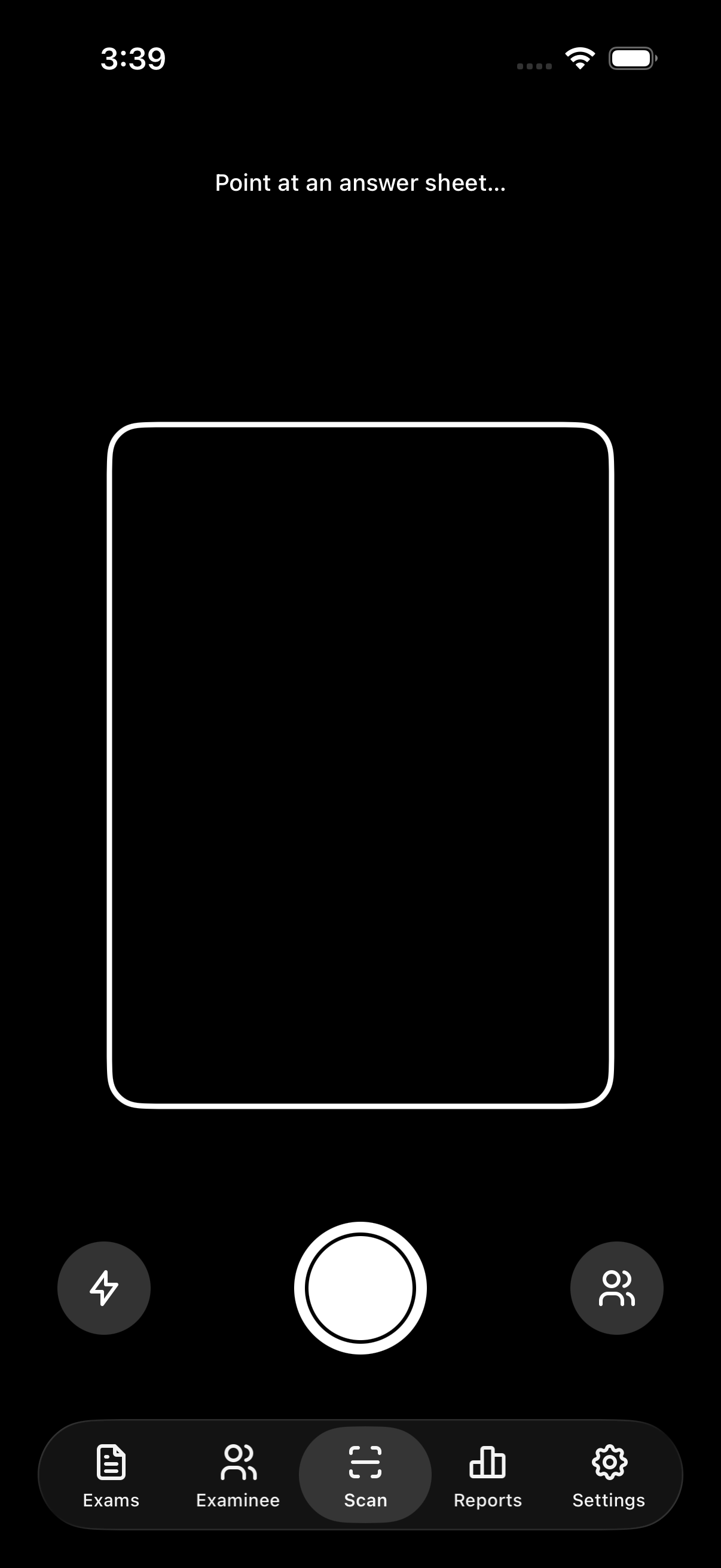
Point the camera. Fix the unclear ones.
The scanner locks on when the corner brackets turn from white to the success accent, reads the QR code to identify the sheet and version, then reads the shaded bubbles. Anything unclear routes to Manual Review instead of guessing.
- QR code + four corner markers for reliable lock-on
- Per-item confidence scoring; low-confidence items flag automatically
- Manual Review: tap A/B/C/D (or Blank) to resolve each flag
- Finalize is blocked until every flag is resolved
04 — Results & Reports
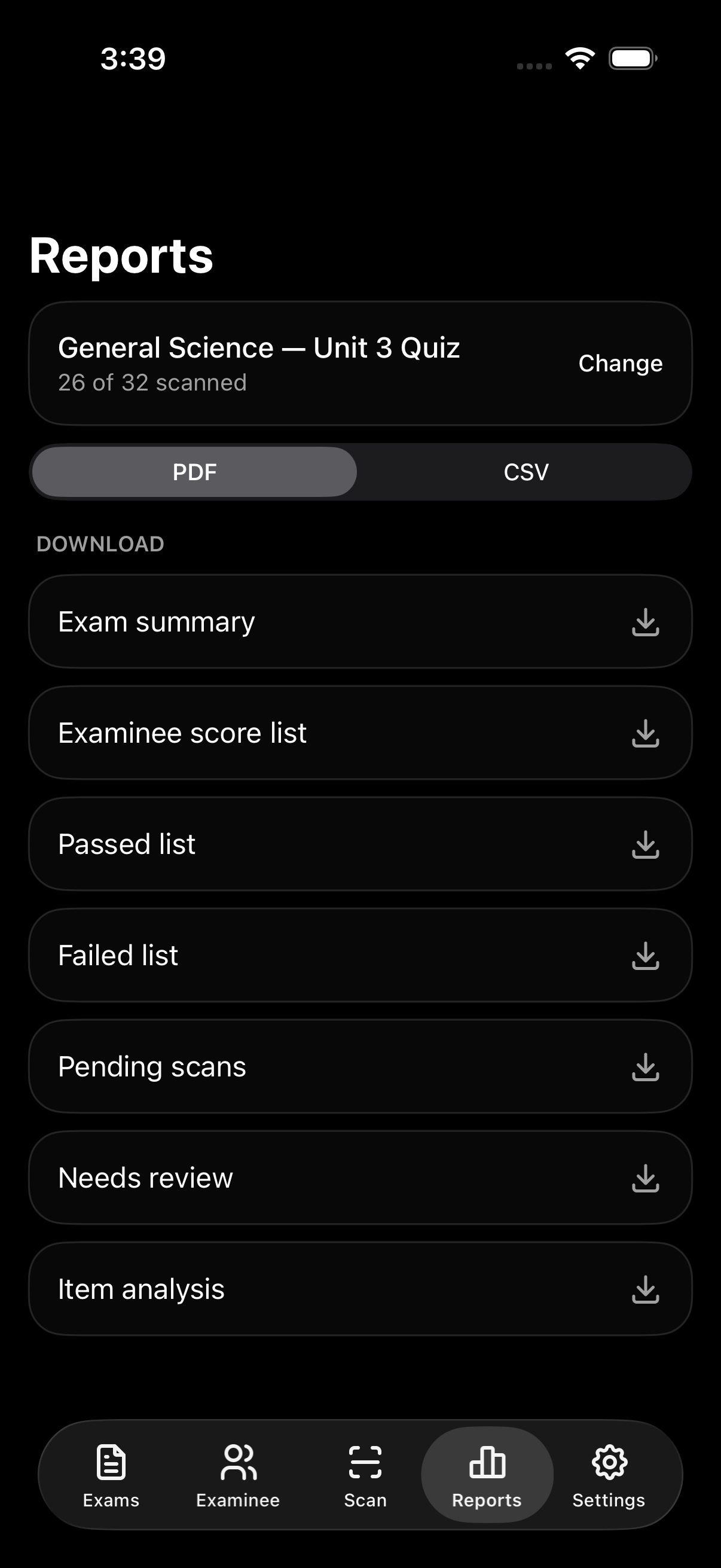
Averages, pass rates, and a roster you can filter
Every exam gets a summary — average, pass rate, highest and lowest score — plus a roster filterable by All / Passed / Failed / Review / Pending.
- Per-exam average, pass rate, highest & lowest score
- Roster filterable by All / Passed / Failed / Review / Pending
- PDF or CSV export: summary, score list, passed/failed/pending/review lists, item analysis
05 — Tuned To How You Grade
Confidence threshold, defaults, and your data
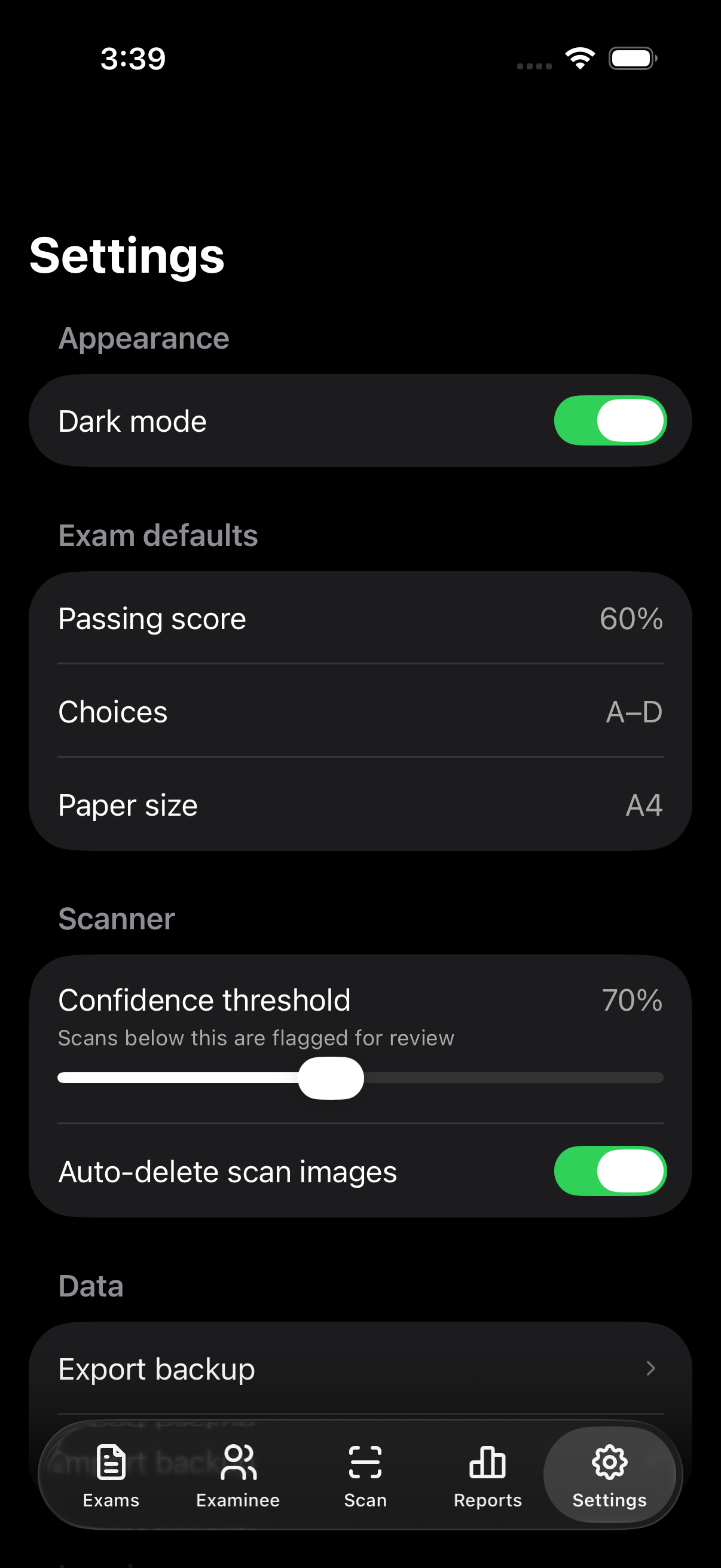
Set the exam defaults you reuse every time — passing score, choice count, paper size, randomization — once, in Settings. Tune the scanner's confidence threshold, choose whether scan images auto-delete, and export or import a full backup whenever you want.
- Remove Ads pinned at the top of Settings — one tap, no modal
- Exam defaults: passing score, choice count, paper size, randomization
- Scanner confidence threshold + auto-delete for scan images
- Backup export / import, dark mode toggle
Ads & Offline, Honestly
Free shows an ad. Remove it, and the connection requirement goes with it.
Exigu is free to use, supported by a single App Open ad that shows on launch (skippable after 5 seconds). Because that ad has to load, the free version needs a connection — go offline without purchasing and you'll see a blocking "No internet" screen instead of a locked feature.
The one-time Remove Ads purchase removes the ad and lifts that requirement for good — no feature is gated behind the purchase, it only removes the ad and the internet requirement that comes with it.
Pricing
Free to use. Pay once to remove the ad.
No feature gate, no tiers, no subscription. Every exam, export, and report is available from the first launch — the ad, and the internet it needs, is the only difference.
Free
Remove Ads
Exams, questions & examinees
✓
✓
CSV import, PDF sheets & keys
✓
✓
Scanning, Manual Review & Reports
✓
✓
App Open ad on launch
Yes
No
Works fully offline
No
✓
Price shown at checkout in Google Play / App Store. No subscription. Restore anytime via Settings.
FAQ
Do I need internet to use Exigu?
Only until you remove the ad. The free version needs a connection so the App Open ad can load; going offline without purchasing shows a blocking "No internet" screen. The one-time Remove Ads purchase drops that requirement, and building exams, scanning, generating sheets, and running reports all work with zero connection from then on.
Is Remove Ads a subscription?
No. Remove Ads is a single one-time purchase. Pay once, owned forever. Restore on any device signed into the same Google Play or Apple ID account via Settings.
Do I need a special printer?
No. Exigu doesn't pair with printer hardware. Download the answer sheet, questionnaire, or answer key as a print-ready A4 PDF and print it from any printer you already have.
What happens if the scanner can't read a bubble clearly?
It routes to Manual Review instead of guessing. Flagged items are marked unclear, multiple, or blank — tap the correct choice (or Blank) to resolve each one. Finalize is blocked until every flagged item is resolved.
Can I stop students from copying each other?
Turn on randomized question and/or choice order, and generate multiple sheet versions — each sheet's QR code carries its own version, so Exigu knows which key to score it against.
How do I add a whole class at once?
Examinee → Import CSV. The preview flags duplicate or missing IDs before anything saves, and you can skip individual bad rows without blocking the rest of the import.
How do I back up my data?
Settings → Data → Export saves a backup file you control; Import restores from one. Exigu doesn't sync to any cloud on its own, so this file is the only copy outside your device.
Will it work on my phone?
Exigu runs on Android 8.0+ (API 26) and iOS 16+. That covers the vast majority of phones still in use as of 2026.
Download
Start grading today
Free to install. One-time purchase to remove the ad. No account, no subscription ever.